Executive Summary
Workspace agents are presented as shared, cloud-running agents inside ChatGPT for complex work that spans tools, files, and team context. The speakers frame them as distinct from personal Codex usage and from the Agents SDK: Workspace agents are for repeatable team workflows that can keep running after the builder's computer is closed.
The demos show how a team can create an agent in natural language, connect approved apps, add reusable skills, preview behavior, and share the result. The meeting-prep example pulls calendar and Google Drive context into briefs, while the software review example uses Slack request intake, policy-guided routing, and actual Jira task handoff to the IT team.
The enterprise message is that useful agents need governance primitives, not only better prompting. The Build Hour emphasizes read/write connector scopes, builder and sharing permissions, isolated memory per chat or Slack channel, exportable audit traces through the compliance API, and a credit-based pricing transition after the free research-preview period ends on May 6, 2026.
Key Takeaways
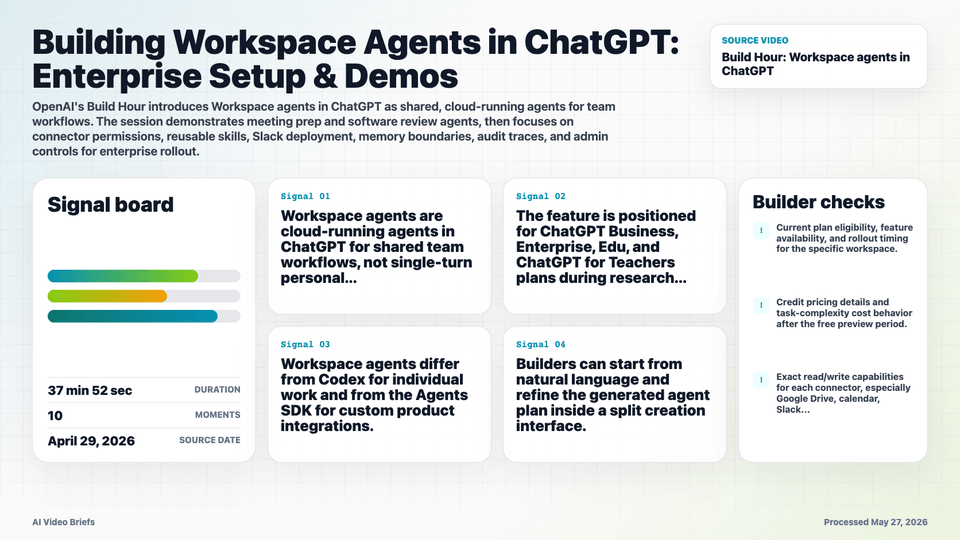
- Workspace agents are cloud-running agents in ChatGPT for shared team workflows, not single-turn personal assistants.
- The feature is positioned for ChatGPT Business, Enterprise, Edu, and ChatGPT for Teachers plans during research preview.
- Workspace agents differ from Codex for individual work and from the Agents SDK for custom product integrations.
- Builders can start from natural language and refine the generated agent plan inside a split creation interface.
- Connector permissions can be scoped with explicit read/write controls, such as keeping calendar access read-only.
- Skills turn company playbooks, policies, and repeatable procedures into reusable instructions for the agent.
- Preview runs expose execution steps, files, and app interactions so builders can debug before sharing.
- Agents can be shared through ChatGPT and connected to Slack channels where team requests already happen.
- Memory is scoped by conversation or Slack channel, so teams should design boundaries around each deployment surface.
- Enterprise admins can govern who builds and shares agents, plus audit behavior through compliance traces.
- More complex Workspace agent tasks are described as consuming more credits, similar to complex Codex tasks.
- OpenAI says automatic Custom GPT to Workspace agent conversion and multi-person editing are coming soon.
Builder Implications
- Design agents around repeatable team workflows with clear inputs, outputs, approvals, and escalation paths.
- Turn policy documents and operating procedures into skills before adding broad connector access.
- Scope permissions tightly at launch; read-only access is often enough for early meeting-prep or research flows.
- Deploy where requests already start, such as Slack channels, but keep memory and audience boundaries explicit.
- Use preview traces as a staging tool before sharing an agent beyond its original builder or team.
Things to Verify
- Current plan eligibility, feature availability, and rollout timing for the specific workspace.
- Credit pricing details and task-complexity cost behavior after the free preview period.
- Exact read/write capabilities for each connector, especially Google Drive, calendar, Slack, Jira, and Microsoft tools.
- Workspace admin and Microsoft permission requirements for SharePoint, Outlook, and Teams data connectors.
- How memory isolation, audit traces, and compliance exports behave across sensitive multi-team channels.