Executive Summary
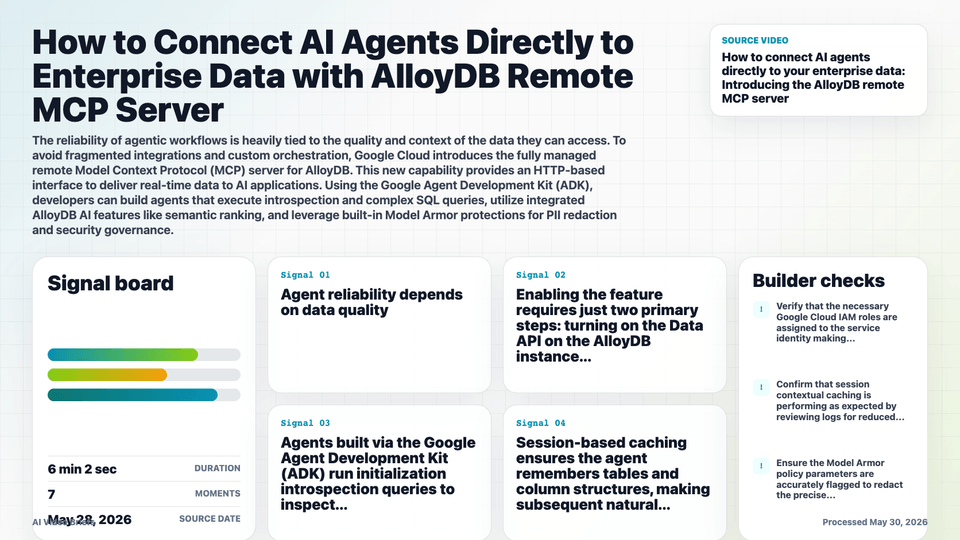
The AlloyDB remote MCP server establishes an open, single-protocol architecture connecting AI agents directly to live relational database instances.
It eliminates unmanaged infrastructure, connection pooling issues, and fragmented integration logic through a fully managed HTTP-based connection interface.
Native integrations with Google Cloud IAM enable seamless OAuth-based fine-grained access control without complex credential stores.
Security is layered with Model Armor, ensuring a governance floor that automatically redacts PII and blocks malicious payloads before hitting the agent.
Key Takeaways
- Agent reliability depends on data quality; MCP replaces custom, brittle pipelines with an industry-standard interface.
- Enabling the feature requires just two primary steps: turning on the Data API on the AlloyDB instance and updating a few configuration lines in the agent code.
- Agents built via the Google Agent Development Kit (ADK) run initialization introspection queries to inspect available tables and schemas.
- Session-based caching ensures the agent remembers tables and column structures, making subsequent natural language queries faster.
- The agent natively synthesizes multi-table JOIN SQL syntax based on natural language prompts without manual code translation.
- AlloyDB AI functions like 'AI.rank' enable semantic evaluation and subjective sorting directly inside database execution paths.
- Model Armor integration acts as an automated perimeter defense, catching queries for unauthorized sensitive data like social security numbers.
Builder Implications
- Use a simple curl command against the Google Cloud shell to toggle the database data API on your target database instance.
- Inject the AlloyDB remote MCP tool directly into your ADK runtime settings using standard OAuth tokens for verification.
- Specify targeted instance metadata clearly within prompt architectures so the agent knows precisely which database cluster context to call.
- Combine semantic models like semantic-ranker-512 within SQL scripts via database AI integrations to compute rankings over free-text fields.
- Rely on underlying fully managed operations to scale query volume, omitting developer-managed connection pooling or driver provisioning.
Things to Verify
- Verify that the necessary Google Cloud IAM roles are assigned to the service identity making the remote MCP HTTP requests.
- Confirm that session contextual caching is performing as expected by reviewing logs for reduced introspection queries in longer interactions.
- Ensure the Model Armor policy parameters are accurately flagged to redact the precise classifications of enterprise PII required.
- Check that your deployed semantic AI models (e.g., ranker 512) match the specific deployment regions of your AlloyDB instance to control latency.