Executive Summary
Google for Developers presents the latest Google AI roadmap as a full-stack builder system. The session starts with Gemini 3.5 model choices for complex reasoning, production speed, and low-latency workloads, then connects those models to multimodal prototyping in AI Studio.
The practical center of the session is AI Studio Build Mode: a browser-based workspace that turns natural language prompts into working native Kotlin Android apps and Workspace-style tools. Google positions this alongside Gemini Live API, screen sharing, grounding through Google Search, and video understanding, so the workflow spans prompt, live interaction, generated code, and deployable app surfaces.
The back half widens the stack beyond frontier APIs. Gemma 4 is presented as an open model family with long context and local laptop deployment, while Google AI Edge Gallery brings smaller models onto mobile devices. The session also points to the TPU software stack, Gemini Robotics 1.6, and Genie 3 as signs that Google's AI platform is moving across cloud, edge, physical robotics, and simulated worlds.
Key Takeaways
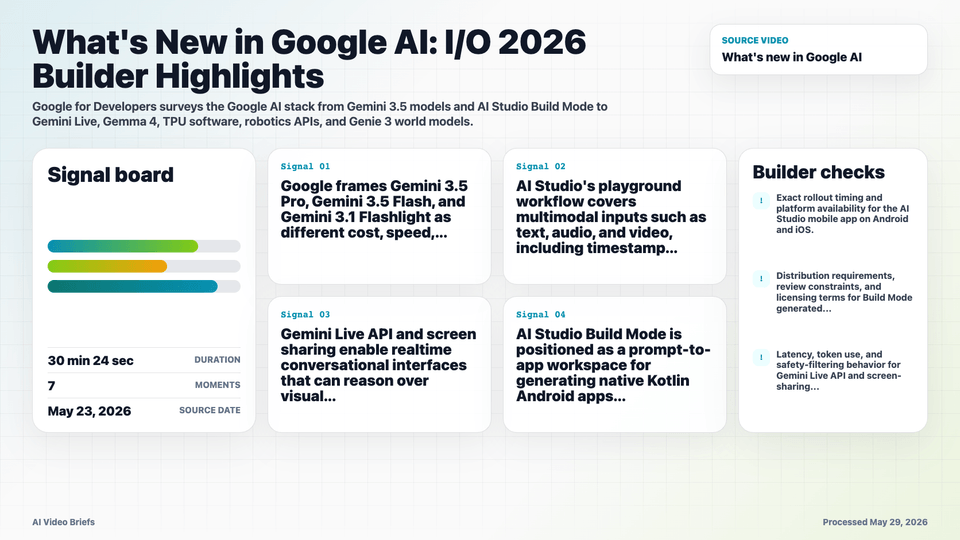
- Google frames Gemini 3.5 Pro, Gemini 3.5 Flash, and Gemini 3.1 Flashlight as different cost, speed, and reasoning tradeoffs.
- AI Studio's playground workflow covers multimodal inputs such as text, audio, and video, including timestamp extraction and code snippet generation.
- Gemini Live API and screen sharing enable realtime conversational interfaces that can reason over visual context and switch languages.
- AI Studio Build Mode is positioned as a prompt-to-app workspace for generating native Kotlin Android apps and Workspace integrations.
- Gemma 4 is presented as an open model family with a 256K context window, broad language support, and local laptop deployment.
- The TPU software stack highlights JAX, PyTorch pathways, vLLM, and MaxText as scaling surfaces for training, tuning, and inference.
- Gemini Robotics 1.6 and Genie 3 expand the session from app development into physical control and simulated world generation.
Builder Implications
- Treat model selection as a product decision: reserve the largest model for hard reasoning and use Flash-class models when latency and cost dominate.
- Use AI Studio for quick multimodal prototyping before investing in local project structure or production infrastructure.
- Design realtime interfaces around live context, screen understanding, grounding, and language switching rather than simple chat turns.
- Evaluate Build Mode output as generated application code: inspect permissions, architecture, data access, and release readiness before shipping.
- Consider Gemma and AI Edge when privacy, offline behavior, or local cost control makes client-side inference attractive.
- Track which announcements are available now versus roadmap items, especially mobile AI Studio and Play Store distribution from Build Mode.
Things to Verify
- Exact rollout timing and platform availability for the AI Studio mobile app on Android and iOS.
- Distribution requirements, review constraints, and licensing terms for Build Mode generated Android apps.
- Latency, token use, and safety-filtering behavior for Gemini Live API and screen-sharing workflows.
- Production limits for Gemma 4 local deployment, including memory, quantization, and supported hardware.
- Current availability of Gemini Robotics 1.6 and Genie 3 beyond demos or limited access programs.