Executive Summary
GitHub Copilot provides custom configuration options to guarantee AI assistance aligns seamlessly with manual development standards.
Instructions files act as code context modifiers, enforcing global project rules or file-specific structures like docstrings via localized configuration paths.
Skills serve as active tools in Copilot's toolbox, empowering it to execute multi-step operational tasks like automatic git branching and template-driven PR generation.
Custom agents function as specialized workers built for domain-specific audits, allowing comprehensive analysis such as accessibility or SEO workflows across the entire codebase.
Key Takeaways
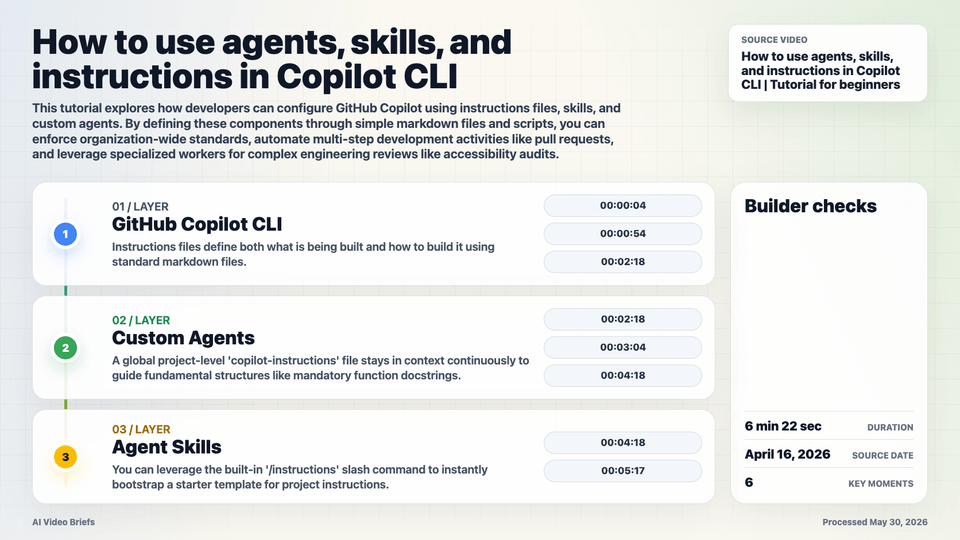
- Instructions files define both what is being built and how to build it using standard markdown files.
- A global project-level 'copilot-instructions' file stays in context continuously to guide fundamental structures like mandatory function docstrings.
- You can leverage the built-in '/instructions' slash command to instantly bootstrap a starter template for project instructions.
- Targeted '.instructions' files use an 'apply to' path matcher to safely scope prompt updates to specific folders like server routes or testing directories.
- Agent skills combine markdown and custom shell scripts situated inside the '.github/skills' directory to orchestrate actions dynamically.
- When a skill is invoked via natural language or direct slash commands, Copilot handles lower-level task sequences such as issue grouping and commit generation.
- Custom agents can be activated via the '/agents' interface to take over the user workspace session and provide highly complex architectural reviews.
Builder Implications
- Initialize your workspace by generating a boilerplate instructions file using the native slash shortcut to quickly establish uniform standard guidelines.
- Configure 'apply to' patterns inside specific instructions to force unique design compliance when generating React components or Playwright tests.
- Explore curated open-source starter community configurations for engineering tasks by visiting the official shortcut repository at gh.io/awesome-copilot.
- Wrap complex repository contribution workflows into scripts within '.github/skills' to allow single-command repository onboardings.
- Deploy an accessibility or SEO custom agent to automatically review and batch-apply critical visual or technical metadata fixes across legacy code files.
Things to Verify
- Confirm that project-level markdown files follow exact file naming criteria such as copilot-instructions.md or specific file formats.
- Verify that path patterns declared inside the 'apply to' property correctly align with actual folder depths like your server routes structures.
- Ensure that repository contribution templates, issue templates, and pull request guidelines exist locally for the custom skill file to reference.
- Check that your environment execution rights allow Copilot to run the automated automation shell scripts defined within your custom .github/skills.